
Course: Building Android Apps
duration: 11 hours |
Language: English (US) |
access duration: 180 days |

Details
In this comprehensive course on building Android apps, you will explore different aspects of Android development, covering networking, CRUD operations, data persistence, and Firebase integration. Start this course by learning about the essential elements of networking operations in Android applications, empowering you to interact with APIs and handle network requests effectively. You will also learn how to perform CRUD operations and how to set up and configure a local simple HTTP server to handle requests in your Android application. Next, you will explore how to create data persistence for larger datasets with powerful querying capabilities and data manipulation operations by learning the essential aspects of data and file storage on Android. Finally, you will learn how to integrate Android applications with Firebase. You will discover Firebase's diverse services as you build a restaurant reservation app. You will implement user authentication and explore real-time data storage using Cloud Firestore.
Result
After completing this course, you will have acquired a comprehensive skill set in Android networking, enabling you to create modern cloud-backed apps that interact seamlessly with APIs and deliver dynamic content from the web.
Prerequisites
No formal prerequisites. However, some prior knowledge is recommended.
Target audience
Software Developer
Content
Building Android Apps
Building Android Apps: Accessing Data from the Internet
Networking is crucial for real-world Android apps to enable seamless communication between the apps and external services, such as remote servers, databases, and application programming interfaces (APIs). Networking allows applications to store data in a persistent manner on remote servers and access this data in a well-designed and secure manner. In this course, you will learn the essential aspects of networking operations in Android applications, empowering you to interact with APIs and handle network requests effectively. We will provide an overview of the clients available for accessing REST points and guide you through best practices for accessing the Internet from your app. Next, you will set up and configure an Android Views Project. We will explore the powerful Glide library, which allows you to efficiently load and display images, even in image-heavy applications. Then, we will use real-world APIs to make GET requests using the HTTPUrlConnection client and parse JSON using the Gson library. You will master app architecture structuring, create data and user interface (UI) layers in your app, and implement robust data handling mechanisms. By incorporating coroutines, you will gain proficiency in fetching data from the backend in a more concise and structured manner. By the end of this course, you will have acquired a comprehensive skill set in Android networking, enabling you to create modern apps that interact seamlessly with APIs and deliver dynamic content from the web.
Building Android Apps: Performing CRUD Operations
Android offers a built-in standard HttpURLConnection client for making network requests, but it can be cumbersome and involve boilerplate code for handling responses and errors. In contrast, the Retrofit library simplifies networking by providing a high-level interface, reducing boilerplate, and making application programming interface (API) interactions more concise and efficient. Additionally, using coroutines for background networking operations allows for asynchronous and non-blocking execution, preventing user interface (UI) freezes. In this course, you will learn how to set up and configure a local simple HTTP server to handle requests in your Android application. You will retrieve data from the server, display a list of restaurants, and implement functionality to view individual restaurant details. You will also handle HTTP methods like POST, PUT, and DELETE to add, edit, and remove restaurants, creating a fully functional app with server communication. Next, you will explore the powerful Retrofit library, which streamlines handling HTTP requests in your Android app. You will learn to access REST endpoints more efficiently and reduce boilerplate code, resulting in a cleaner and more maintainable codebase. Finally, you will integrate the Retrofit client with Compose, a modern Android UI toolkit, to build a seamless user interface.
Building Android Apps: Persisting Data Locally
Various methods can be used for persisting data locally in an Android device. App-specific files and preferences offer a lightweight and straightforward approach for storing small amounts of data, such as user settings and preferences. SQLite databases and the Room API provide a robust and efficient solution for more structured and organized data. This enables data persistence for larger datasets with powerful querying capabilities and data manipulation operations. In this course, you will learn the essential aspects of data and file storage on Android. Through hands-on practice, you will build a simple app that stores recipes locally using app-specific files. Next, you will work with storing and retrieving shared preferences, a simple yet effective method to store key-value pairs in Android. Using shared preferences, you will build features to track and utilize recently searched items and prefill forms in your app. Finally, you learn to store app details in a local SQLite database, retrieve and modify data using the SQLite API, and later connect to SQLite using the Room API.
Building Android Apps: Building a Complete Application with Firebase
Integrating Android apps with Firebase offers a seamless and secure solution for managing user sign-in and registration processes while enabling real-time data synchronization. Firebase Authentication provides a range of authentication methods, including email, phone number, and social media logins. Firestore serves as a scalable NoSQL cloud database, allowing developers to store and retrieve data in real-time, ensuring dynamic content delivery to users. In this course, you will learn how to integrate Android applications with Firebase. You will discover Firebase's diverse services as we build a restaurant reservation app. You will implement user authentication and explore real-time data storage using Cloud Firestore. Next, you will set up strings, styles, and themes to create a visually appealing and consistent user interface (UI). You will see how dependency injection enhances code maintainability and testability, and you will integrate the Hilt Framework for efficient dependency injection that simplifies access to the Firebase backend. Finally, you will explore advanced concepts in Android app development. Mastering login and signup flows will create a secure and user-friendly app. You will set up a navigation drawer and top bar for app navigation and manage app screens and data using View Models. By the end of the course, you will integrate all these components to create a complete application with a cloud backend.
Course options
We offer several optional training products to enhance your learning experience. If you are planning to use our training course in preperation for an official exam then whe highly recommend using these optional training products to ensure an optimal learning experience. Sometimes there is only a practice exam or/and practice lab available.
Optional practice exam (trial exam)
To supplement this training course you may add a special practice exam. This practice exam comprises a number of trial exams which are very similar to the real exam, both in terms of form and content. This is the ultimate way to test whether you are ready for the exam.
Optional practice lab
To supplement this training course you may add a special practice lab. You perform the tasks on real hardware and/or software applicable to your Lab. The labs are fully hosted in our cloud. The only thing you need to use our practice labs is a web browser. In the LiveLab environment you will find exercises which you can start immediately. The lab enviromentconsist of complete networks containing for example, clients, servers,etc. This is the ultimate way to gain extensive hands-on experience.
Sign In
WHY_ICTTRAININGEN
Betaal in termijnen
| Cursusnaam | |
| Looptijd | |
| Rentebedrag financiering | |
| Totaal bedrag | |
| Maandbedrag |


Gespreid betalen met Spraypay
Met de betaaloptie SprayPay kun je jouw bestelling van € 250,- tot € 3.500,- veilig en gespreid betalen in gelijke termijnen van 12, 18, 24 of 36 maanden. Je hebt op die manier een minimale financiële belasting en je kunt eenvoudig de termijnbetalingen opnemen in jouw vaste lasten.
Hoe werkt het kopen op afbetaling? De beoordeling van de kredietaanvraag vindt online plaats. Binnen enkele seconden weet je of je in aanmerking komt voor een krediet. Is de aanvraag akkoord dan kun je meteen genieten van je aankoop.
Let op: deze betaalmetode is aleen beschikbaar voor particulieren! Bekijk voor je aankoop ook de SprayPay voorwaarden.

Via ons opleidingsconcept bespaar je tot 80% op trainingen
Start met leren wanneer je wilt. Je bepaalt zelf het gewenste tempo
Spar met medecursisten en profileer je als autoriteit in je vakgebied.
Ontvang na succesvolle afronding van je cursus het officiële certificaat van deelname van Icttrainingen.nl
Krijg inzicht in uitgebreide voortgangsinformatie van jezelf of je medewerkers
Kennis opdoen met interactieve e-learning en uitgebreide praktijkopdrachten door gecertificeerde docenten
Orderproces
Once we have processed your order and payment, we will give you access to your courses. If you still have any questions about our ordering process, please refer to the button below.
read more about the order process
Een zakelijk account aanmaken
Wanneer u besteld namens uw bedrijf doet u er goed aan om aan zakelijk account bij ons aan te maken. Tijdens het registratieproces kunt u hiervoor kiezen. U heeft vervolgens de mogelijkheden om de bedrijfsgegevens in te voeren, een referentie en een afwijkend factuuradres toe te voegen.
Betaalmogelijkheden
U heeft bij ons diverse betaalmogelijkheden. Bij alle betaalopties ontvangt u sowieso een factuur na de bestelling. Gaat uw werkgever betalen, dan kiest u voor betaling per factuur.

Cursisten aanmaken
Als u een zakelijk account heeft aangemaakt dan heeft u de optie om cursisten/medewerkers aan te maken onder uw account. Als u dus meerdere trainingen koopt, kunt u cursisten aanmaken en deze vervolgens uitdelen aan uw collega’s. De cursisten krijgen een e-mail met inloggegevens wanneer zij worden aangemaakt en wanneer zij een training hebben gekregen.
Voortgangsinformatie
Met een zakelijk account bent u automatisch beheerder van uw organisatie en kunt u naast cursisten ook managers aanmaken. Beheerders en managers kunnen tevens voortgang inzien van alle cursisten binnen uw organisatie.
What is included?
| Certificate of participation | Yes |
| Monitor Progress | Yes |
| Award Winning E-learning | Yes |
| Mobile ready | Yes |
| Sharing knowledge | Unlimited access to our IT professionals community |
| Study advice | Our consultants are here for you to advice about your study career and options |
| Study materials | Certified teachers with in depth knowledge about the subject. |
| Service | World's best service |
Platform
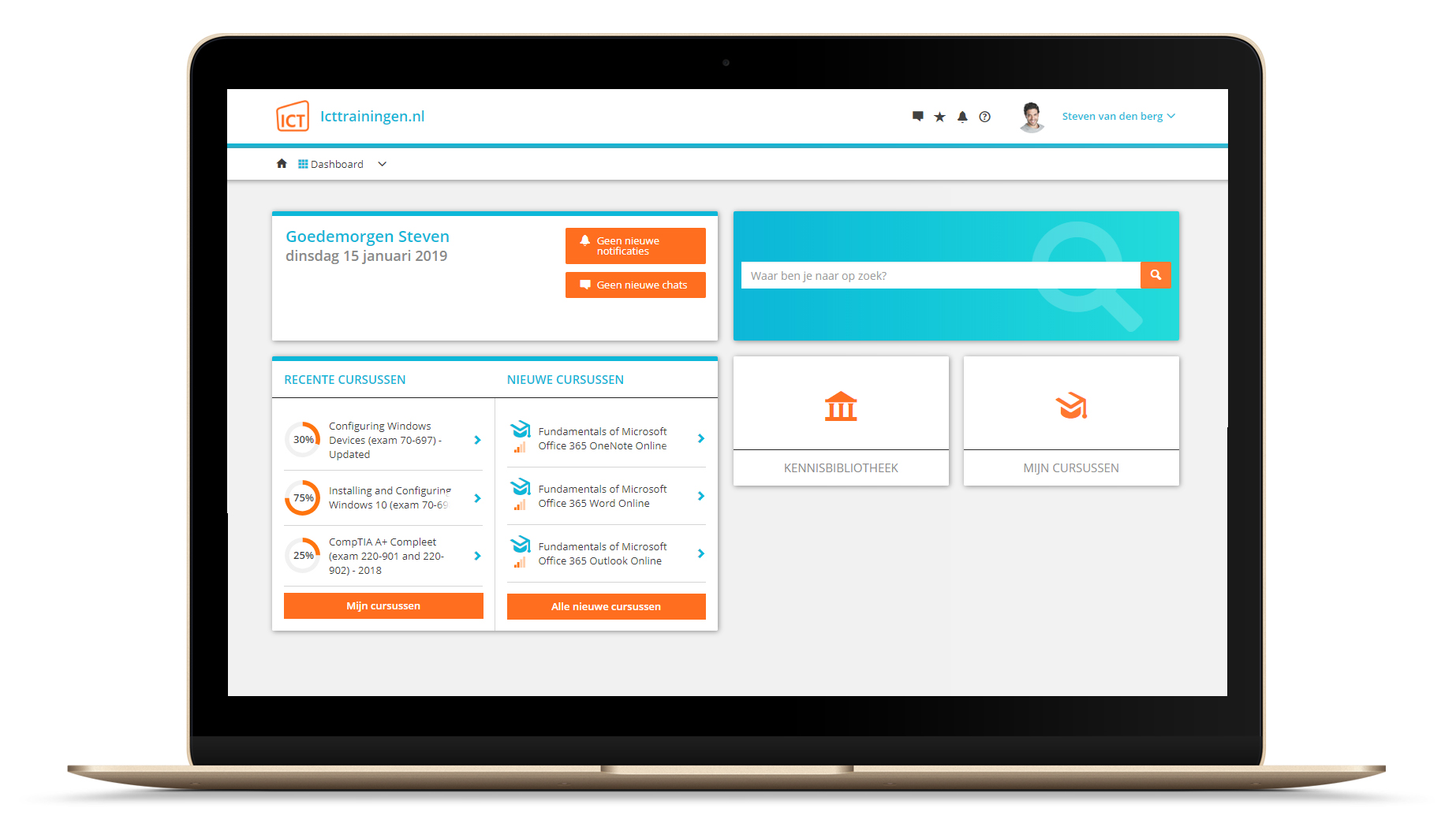
Na bestelling van je training krijg je toegang tot ons innovatieve leerplatform. Hier vind je al je gekochte (of gevolgde) trainingen, kan je eventueel cursisten aanmaken en krijg je toegang tot uitgebreide voortgangsinformatie.
FAQ
Niet gevonden wat je zocht? Bekijk alle vragen of neem contact op.