
Course CompTIA A+ Compleet (1201-1202)
duration: 132 hours |
Language: English (US) |
access duration: 365 days |

Details
This training is the perfect starting point for anyone aspiring to a career in IT support. It provides comprehensive knowledge of installing, configuring, and maintaining computer hardware, network components, and mobile devices from smartphones to laptops. You will also gain an understanding of cloud computing and virtualisation.
Essential for obtaining the CompTIA A+ certification, this course focuses on the core skills required in IT support. You will learn to install and configure various operating systems, such as Windows and Linux, secure systems against threats, and troubleshoot both hardware and mobile devices using effective problem-solving techniques.
Result
After completing the training, you will have gained an introduction to hardware, networks, mobile devices and virtualisation, operating systems, security, mobile devices and troubleshooting.
Prerequisites
No specific prior knowledge is required for this training.
Target audience
System Administrator, Network Administrator, Software Developer, Web Developer
Content
CompTIA A+ Compleet (1201-1202)
CompTIA A+ Core 1: Networking Fundamentals
Modern computer environments are connected environments. Having a good grasp of networking enables IT professionals to better design, maintain, and troubleshoot these interconnected systems. In this course, explore networking fundamentals, beginning with networking ports and protocols, TCP vs. UDP, switches and routers, access points, repeaters, and extenders. Next, learn about patch panels, firewalls, Power over Ethernet (PoE), hubs and bridges, and cable and Digital Subscriber Line (DSL) modems. Finally, examine optical network terminals (ONTs), network interface cards (NICs), software-defined networking (SDN), network topologies, and subnetting. This course is one of a collection that prepares learners for the CompTIA A+ Core 1 (220-1201) exam.
CompTIA A+ Core 2: Mobile OS Application & Application Security Issues
A large percentage of the population carries at least one mobile device on them at all times. These devices often contain applications that can be attractive targets for mobile attacks. This course covers how to troubleshoot mobile OS applications and application security issues. Discover common symptoms pertaining to mobile OS and application issues such as applications that fail to launch, crash, and fail to update. Next, explore connectivity issues pertaining to Bluetooth, Wi-Fi, near-field communication, and AirDrop and learn how to identify internet connectivity issues, including limited or no connectivity. Lastly, discover how to deal with high numbers of ads, fake security warnings, unexpected application behavior, and leaked personal files and data. This course helps prepare for CompTIA+ certification exam 220-1102.
CompTIA A+ Core 1: Power Supplies
Computer hardware technicians must understand the basics of computer power systems, including amps, wattage, voltage, general guidelines for power sizing, and power supply options. Explore key power systems lessons like differentiating between power supply inputs and outputs, identifying the values needed for components, such as overall wattage rating, and determining the amount of power needed based on the number of devices in use. Examine the characteristics of redundant power supplies and modular power supplies. Finally, put your new skills to use solving a problem to determine when to use more or less voltage, how to describe wattage ratings, and how to determine the output of a rail on power supply. This course will prepare learners for the CompTIA A+ Core 1 (220-1101) certification.
CompTIA A+ Core 2: Windows OS Problems & Personal Computer Security
Diagnosing problems within a network or a computer requires a special and versatile toolbox for the IT specialist. This course outlines many popular troubleshooting tools and practical strategies needed to quickly isolate all kinds of problems, regardless of platform, and resolve them, to help restore normal working conditions efficiently and quickly. Explore the benefits of building process checklists and learn how to determine if a problem is widespread or limited to one machine. Discover how to trace issues back to new hardware or software installations, and explore best practices and techniques for malware removal. Lastly, explore valuable troubleshooting steps that can be used to resolve mobile OS and app issues and any mobile OS security issues. This course will help you prepare for CompTIA+ certification exam 220-1102.
CompTIA A+ Core 1: Client-Side Virtualization
Virtualization is everywhere thanks to the cloud, which uses virtual machines (VMs) to deal with increasing traffic. In this course, you'll learn about client-side virtualization, beginning with an understanding of what virtualization is, a discussion of the purpose of virtual machines (VMs), and an explanation of desktop virtualization. Then you'll discover containers, Type I vs. Type II hypervisors, virtualization security requirements, and virtualization network and storage requirements. Lastly, you'll explore how to install and configure a hypervisor, how to create a virtual machine (VM), and how to create a Docker container. This course is one of a collection that prepares learners for the CompTIA A+ Core 1 (220-1201) exam.
CompTIA A+ Core 2: Best Practice Procedures for Malware Removal
Malware is software specifically designed to compromise computers, servers, clients, or computer networks. In this course, you will learn best practices for the identification and removal of malware. Begin by exploring how to properly investigate and verify malware symptoms and how to ensure infected systems are quarantined immediately. Discover the importance of disabling System Restore from the onset as well as steps to remediate infected systems. Explore how to schedule system scans and run updates on a system. Next, discover when to re-enable System Restore and create a new restore point in Windows. Lastly, learn about the key points and techniques to share with end users when educating them on malware. This course helps prepare for CompTIA+ certification exam 220-1102.
CompTIA A+ Core 2: Safety Procedures & Environmental Impacts
Environments should be designed and maintained with personal safety best practices and safety standards in mind. Enforcing safety standards helps ensure that operators are kept safe and prevented from causing harm to their systems. In this course, you'll learn when and where to use electrostatic discharge straps, mats, and bags. Explore personal safety measures, including disconnecting power before repairing a PC, lifting techniques, electrical fire safety, safety goggles, and air filtration masks. Discover material safety data sheet (MSDS) handling and disposal recommendations, including proper battery disposal, proper toner disposal, and proper disposal of other devices and assets. You will also learn the importance of temperature, humidity-level awareness, and proper ventilation, including equipment placement, dust cleanup, and compressed air and vacuums. Lastly, explore the impact of power surges, under-voltage events, and power outages and discuss when to use battery backup and surge suppressors. This course helps prepare for CompTIA A+ certification exam 220-1102.
CompTIA A+ Core 1: Networking Fundamentals
In order for computers to be able to exchange data and share resources with each other, they must be interconnected in some fashion. This is referred to as computer networking. Explore computer networking fundamentals, including TCP and user datagram protocol (UDP) ports, and review common networking hardware devices. Examine the differences between hubs and bridges. Discover when to use a network switch and how a router can protect a system. Explore key differences between access points, repeaters, and extenders, as well as cable and DSL modems. Learn about the benefits of Power over Ethernet (PoE) and compare it with Ethernet over Power, which uses common electrical wiring to convey Ethernet connectivity. Lastly, take a look at the features of network interface cards (NIC), optical network terminal (ONT), and software-defined networking (SDN) technologies. This course will prepare you for the CompTIA A+ Core 1 (220-1101) certification exam.
CompTIA A+ Core 2: Linux, macOS, & Windows File Systems
New disk devices can be initialized as Master Boot Record (MBR) or GUID Partition Table (GPT) and can be formatted using different types of file systems. Use this course to become familiar with and learn how to manage common Linux, macOS, and Windows file systems. To start, explore common file system types including the New Technology File System (NTFS), File Allocation Table (FAT32), exFAT, ext3, ext4, and the Apple File System (APFS). Discover the difference between MBR and GPT disks and learn how to format and partition disks. You'll then work with NTFS, share, and Linux file system permissions to configure access for network shares and learn how to manage file systems using command line tools. Once you have completed this course, you will be able to choose the appropriate file system and management tools for specific situations. This course will help you prepare for the CompTIA A+ Core 2 (220-1102) certification exam.
CompTIA A+ Core 1: Client-side Virtualization
Virtualization enables the ability to use software to create a virtual computer system. One of the main benefits of virtualization is that it allows organizations to run multiple virtual systems using a single computer system, such as a server. Explore the basics of virtualization, including how it allows for the creation of virtual resources like operating systems, servers, and storage solutions. Begin with an overview of virtual machines (VMs) and memory and discover the purpose of VMs and the tasks they perform, their common uses and how they are created within the physical host computer, as well as common configurable settings for a VM. Finally, you will examine the resource and security requirements for virtualization. This course will prepare learners for the CompTIA A+ Core 1 (220-1101) certification.
CompTIA A+ Core 2: Securing SOHO Networks & Browser Security
Technicians need to familiarize themselves with strategies, features, and techniques that can help ensure a safe and secure small office/home office (SOHO) environment. In this course, discover home router security settings to configure on a SOHO network. Explore wireless security considerations, including changing the service set identifier (SSID), disabling SSID broadcast and encryption settings, disabling guest access, and changing channels. Next, discover firewall security features such as disabling unused ports and port forwarding or mapping. You'll also learn to install and configure browsers and relevant security settings. Next you'll explore browser installations, extensions, and plug-ins, as well as password managers and certificates. Lastly, explore Internet browsing security features and techniques, including pop-up blockers, clearing browsing data, clearing cache, private-browsing mode, sign-in/browser data synchronization, and ad blockers. Once you have completed this course, you'll be able to configure security settings for browsers and SOHO networks. This course is part of a series that will help you prepare for the CompTIA A+ Core 2 (220-1102) certification exam.
CompTIA A+ Core 1: Cloud Computing Concepts
Cloud computing is more widely used now than ever, and organizations and individuals alike benefit from the flexibility of storing and accessing information in the cloud. In this course, learn about cloud computing concepts, beginning with the benefits of cloud computing, cloud services cost implications, and cloud models. Next, explore Infrastructure as a Service (IaaS), Software as a Service (SaaS), and Platform as a Service (PaaS). Finally, examine shared resources and file synchronization, measured and metered services, elasticity, availability, multitenancy, and how to create a cloud storage account. This course is one of a collection that prepares learners for the CompTIA A+ Core 1 (220-1201) exam.
CompTIA A+ Core 2: Operating System Security Best Practices
There are many things to consider when managing and configuring basic security settings in the Microsoft Windows OS. Therefore, technicians must become well versed in configuring and enforcing workstations to meet best practices for security. In this course, you will begin by learning how to configure basic security settings including firewalls, Defender anti-virus, users and groups, and operating system login options. Explore the difference between NTFS and share permissions and discuss file and folder attributes and inheritance. Next, discover features of the administrator and standard user accounts and learn the fundamentals of user account control (UAC). Lastly, explore how to configure workstation security using features such as encryption, complex passwords, and account management and how to disable the AutoRun and AutoPlay features. Upon completion, you'll know how to configure basic security setting in the Windows OS. This course is part of a series used to prepare for the CompTIA A+ Core 2 (220-1102) certification exam.
CompTIA A+ Core 1: Optimizing Mobile Devices
Mobile devices require the same care that other hardware components require, and they need extra attention when considering mobile-specific features. In this course, learn about optimizing mobile devices, beginning with wireless and cellular data, location services, mobile device management (MDM), and Bring Your Own Device (BYOD). Next, explore mobile device synchronization, optimizing mobile performance, factory resetting devices, backing up and restoring data, and securing mobile devices. Finally, learn how to deal with mobile devices and antivirus software, troubleshoot overheating mobile devices, and protect against malware. This course is one of a collection that prepares learners for the CompTIA A+ Core 1 (220-1201) exam.
CompTIA A+ Core 2: Desktop, Server, & Mobile Operating Systems
Technicians must be aware of the features and installation requirements of various types of operating systems. Use this course to learn about common OS types and how to perform OS installations and upgrades in a diverse OS environment. Begin by exploring the features of Windows, Linux, macOS, ChromeOS, and mobile device operating systems. Discover available OS installation options and plan an operating system deployment strategy after reviewing various installation methods. Finally, perform the installation of a Windows 10, Windows Server 2019, Ubuntu Linux, and macOS system. Once you have completed this course, you will be able to select the appropriate operating system for a given scenario and plan its deployment. This course will help you prepare for the CompTIA A+ Core 2 (220-1102) certification exam.
CompTIA A+ Core 1: Cloud Computing Concepts
Cloud computing allows users to store and access data and programs over the internet instead of a local hard drive. In this course, explore cloud computing concepts such as cloud model types, resource sharing, measure service, and virtual desktops. Discover the features of Infrastructure as a Service (IaaS), Software as a Service (SaaS), and Platform as a Service (PaaS); and learn how to differentiate between public, private, hybrid, and community cloud infrastructures. Discover key differences between internal and external shared resources and explore rapid elasticity, a feature that allows for scalable provisioning. Finally, examine the considerations and benefits of using a measured service or a metered service and investigate the types of virtual desktops and their purposes. This course will prepare learners for the CompTIA A+ Core 1 (220-1101) certification.
CompTIA A+ Core 1: Mobile Accessories and Connectivity
We live in a mobile world, no longer tethered to our workplaces. Understanding mobility and connectivity is an important aspect for IT professionals. In this course, learn about mobile accessories and connectivity, beginning with Universal Serial Bus (USB), lightning connections, serial connections, and Bluetooth pairing. Next, explore NFC, Bluetooth, and hotspots, as well as mobile device accessories, troubleshooting mobile application connectivity, and updating mobile devices. Finally, examine mobile security, wired vs. wireless features, managing battery life, and troubleshooting Bluetooth connections. This course is one of a collection that prepares learners for the CompTIA A+ Core 1 (220-1201) exam.
CompTIA A+ Core 2: Information Management & Change Management Processes
Ticketing systems are a great way to collect user and device information, descriptions of problems, and problem resolutions. This course will explore ticketing and asset management systems and how these systems capture information about events and resources. Explore document types such as acceptable use policies, compliance, and network topology diagrams. Discover components of a typical standard operating procedure, including procedures for custom installation of software packages. Next, consider the importance of knowledge base articles and explore best practices for documenting business processes, including rollback plans, sandbox testing, and responsible staff members. Lastly, explore considerations when explaining basic change management best practices. This course is part of a series that will help you prepare for the CompTIA A+ Core 2 (220-1102) certification exam.
CompTIA A+ Core 1: Networking Concepts & Configurations
Internet Protocol (IP) addresses, which are assigned to network-equipped devices that are part of a Transmission Control Protocol (TCP)/IP-based network, allow computers and other resources to communicate with each other. Explore the basics of IP addressing and networking concepts such as Domain Name System (DNS) and Dynamic Host Configuration Protocol (DHCP). Begin with an overview of DNS and its benefits. Then take a closer look at the DHCP, its features, and the concept of reservations. Next, discover the use of virtual private networks (VPNs) and look at virtual local area networks (VLANs). Finally, explore the various networking tools including crimpers, Wi-Fi analyzers, and loopback plugs. This course will prepare learners for the CompTIA A+ Core 1 (220-1101) certification exam.
CompTIA A+ Core 2: Mobile Device Security & Data Destruction
With mobile endpoints, a single lost phone can create huge data breaches, so secure disposal and robust MDM are essential. In this course, explore mobile device hardening, performing secure data disposal, and configuring and securing small office/home office (SOHO) routers with advanced settings and firmware updates. Next, learn about strengthening browser security and backing up mobile data using cloud and encrypted local methods. Finally, discover how to apply hardware restrictions, enforce acceptable use through MDM, and govern bring your own device (BYOD) environments with conditional access and profile separation. This course is part of a collection that prepares learners for the CompTIA A+ Core 2 (220-1202) certification exam.
CompTIA A+ Core 1: Troubleshooting Displays and Peripherals
Displays and peripherals, like other hardware components, can sometimes fail. Although it's not very common, there are methods to determine whether the issue is truly a hardware problem or caused by another factor. In this course, learn about troubleshooting displays and peripherals. Start with identifying display issues, troubleshooting graphics cards, troubleshooting projectors, and monitor calibration. Next, explore dealing with display artifacts, multi-monitor setups, updating display drivers, and the dangers of dust and debris, as well as the need for ventilation. Finally, examine troubleshooting peripherals and input devices. This course is one of a collection that prepares learners for the CompTIA A+ Core 1 (220-1201) exam.
CompTIA A+ Core 2: Communication Techniques, Licensing, & Policy Concepts
Professionalism is essential in any working environment, especially business operations that require interactions with customers. Learn about proper communication techniques and professionalism, such as avoiding jargon, acronyms, and slang. Explore how to maintain a positive attitude, project confidence, listen actively, and be on time. Discover how to avoid distractions including personal calls, texting, and personal interruptions. Explore how to set and meet expectations and timelines, and how to properly communicate status with the customer. Lastly, learn the importance of prohibited content/activity, privacy, licensing, and policy concepts. This course is part of a series that will help you prepare for the CompTIA A+ Core 2 (220-1102) certification exam.
CompTIA A+ Core 1: RAM & Storage Solutions
Every computer requires a storage device and Random Access Memory (RAM), so in this course you will explore different storage and RAM options and how they work, and discover various types of solutions for your computer. To begin, explore virtual RAM and the Small Outline Dual In-line Memory Module, more commonly known as SODIMM. Then consider Double Data Rate (DDR) RAM and memory channels. Examine the features of solid-state drives (SSDs), a persistent memory storage type, and magnetic hard drives, an electromechanical data storage device. Next, compare and contrast features of the two most common physical sizes for hard drives: 3.5 and 2.5 inch drives. Finally, explore removable storage options and their benefits, and learn the differences between Redundant Array of Independent Disks (RAID) 0, 1, 5, and 10. This course will prepare learners for the CompTIA A+ Core 1 (220-1101) certification.
CompTIA A+ Core 2: Wireless Security Protocols & Authentication Methods
There are numerous wireless security protocols and authentication methods available. Technicians must learn how to recommend and potentially implement a wireless security solution depending on the requirements of an organization. In this course, you will start by learning the difference between the Wi-Fi Protected Access 2 (WPA2) and Wi-Fi Protected Access 3 (WPA3) wireless protocols and the features of each. Explore other wireless protocols and encryption options, including Temporal Key Integrity Protocol (TKIP) and Advanced Encryption Standard (AES). Finally, investigate wireless security authentication solutions, including Remote Authentication Dial-In User Service (RADIUS), Terminal Access Controller Access-Control System (TACACS+), Kerberos, and multi-factor authentication. After completing this course you'll know how to implement wireless security protocols and authentication methods. This course also helps you to prepare for the CompTIA A+ Core 2 (220-1102) certification exam.
CompTIA A+ Core 1: Cable Types and Connectors
Although our connected world is very good at dispensing with physical connections, we still require cables and connectors for certain computing tasks. In this course, explore cable types and connectors, beginning with ethernet cables, STP vs. UTP, optical fiber, speed and transmission considerations, T568A/T568B wiring, and video and USB cables. Next, learn about peripheral serial cables, hard disk drive (HDD) cables, common adapter types, and RJ11 and RJ45 connectors. Finally, examine USB and fiber optic connectors, punch down blocks, DB9, lightning ports, F connectors, and Molex connectors. This course is one of a collection that prepares learners for the CompTIA A+ Core 1 (220-1201) exam.
CompTIA A+ Core 2: Malware, Social Engineering, & Removal Steps
While malware continues to pose a significant IT risk, following a structured removal process can greatly reduce its impact. In this course, you'll explore common malware types, social engineering tactics, standard removal steps, and advanced sandbox analysis to isolate malicious files. Learn how to manage malware and social engineering threats across desktop and mobile platforms. Identify key malware types and symptoms. Distinguish phishing, impersonation, insider threats, and zero-day exploits. Practice full malware removal - from quarantine to recovery. Apply advanced techniques for persistent threats and ensure safe system redeployment. This course is part of a collection that prepares learners for the CompTIA A+ Core 2 (220-1202) certification exam.
CompTIA A+ Core 2: Mobile & Embedded Device Security
As mobile technology evolves, so does the need for mobile device security. Mobile device security features protect data, including sensitive and private information, on mobile devices such as smartphones, tablets, and laptops. Learn about screen lock security features such as facial recognition, PIN codes, fingerprint, pattern, and swipe devices. Discover the benefits of remote wiping features, locator applications, and device encryption. Next, explore how operating system updates can help secure devices and patch vulnerabilities. Then discover features of remote backup applications, firewalls, and mobile anti-virus and anti-malware solutions. Lastly, you'll get an overview of policies and procedures as they relate to BYOD, profile security requirements, and Internet of Things (IoT) security. Upon completion of this course, you'll be able to outline common methods for securing mobile and embedded devices. This course is part of a series that will help you prepare for the CompTIA A+ Core 2 (220-1102) certification exam.
CompTIA A+ Core 1: Multifunction Devices and Printers
Computer output needs have remained pretty consistent over the past few decades. Modern output devices have become more useful by combining several features into a single device. In this course, explore output devices and printers, beginning with multifunction devices, device drivers, device connections, publicly shared devices, and device configuration settings. Next, learn about device security, network scanning services, and automatic document feeders. Finally, examine the components of laser, inkjet, thermal, impact, and 3D printers, as well as how to install printer drivers and software and set up wireless printing. This course is one of a collection that prepares learners for the CompTIA A+ Core 1 (220-1201) exam.
CompTIA A+ Core 2: Malware Detection, Removal, & Prevention
Malware is software designed with malicious intent that often aims to disrupt, enable unauthorized access, or cause end-user access interference. In this course, you'll learn how to detect, remove, and prevent malware using the appropriate tools and methods. Begin by exploring the various types of malware including trojans, rootkits, viruses, spyware, ransomware, keyloggers, boot sector viruses, and cryptominers. Become familiar with the recovery console and recognize when to perform an operating system reinstallation as a result of malware. Next, learn how to differentiate between anti-virus and anti-malware solutions and discover how software firewalls can help secure a device. Lastly, discover the importance of end-user training and education as it relates to malware and other cyber threats. After completing this course you'll know how to detect, remove, and prevent malware using the appropriate tools and methods. This course is part of a series used to prepare for the CompTIA A+ Core 2 (220-1102) certification exam.
CompTIA A+ Core 1: Cloud and Virtualization Troubleshooting
The cloud and virtualization go hand in hand, as does troubleshooting when something goes awry. While issues aren't common, they still occur, therefore it's important to know where to start when troubleshooting an unexpected problem. In this course, learn about cloud and virtualization troubleshooting, beginning with the challenges and risks of cloud computing, resolving cloud connectivity problems, troubleshooting cloud performance, and restoring VMs from snapshots. Next, discover how to improve VM performance, manage and optimize cloud performance, and secure VM backups. Finally, explore virtual network troubleshooting and cloud monitoring and logging. This course is one of a collection that prepares learners for the CompTIA A+ Core 1 (220-1201) exam.
CompTIA A+ Core 1: Power Supplies and Cooling
Computers require power to run and they generate heat; there's no getting around it. Power consumption is determined by the hardware devices needed to fuel a computer and heat is a constant threat to keeping your hardware safe and healthy. In this course, learn about power supplies and system cooling, beginning with power supply features, power supply input and output, and motherboard connectors. Next, discover how to choose a power supply based on the number of devices, considerations for redundant power supplies, and using modular power supplies. Finally, examine power supply troubleshooting, system cooling, and how to configure a system for cooling. This course is one of a collection that prepares learners for the CompTIA A+ Core 1 (220-1201) exam.
CompTIA A+ Core 2: Operating System & Network Management
Understanding the network connectivity options in modern operating systems is a vital skill you need as a technician. In this course, you will explore various GUI management tools that can be used when working in Windows. Learn to navigate and configure Control Panel settings and discover how to utilize networking commands in Windows and Linux, and management tools for macOS. Next, you will review how IP addressing, DNS, and DHCP works and observe how to configure Windows DNS and DHCP servers. Finally, learn how to manage various network settings, including those related to Windows Defender and Microsoft Active Directory. Upon completion of this course, you'll be able to use command-line management tools and manage network-related settings in Windows, Linux, and the macOS. This course will help you prepare for the CompTIA A+ Core 2 (220-1102) certification exam.
CompTIA A+ Core 2: Mobile OS & App Troubleshooting
Mobile devices can present unique challenges, from crashing apps and battery drains to security risks and OS failures across an entire fleet. Identifying the root cause of these issues is essential for implementing effective, long-term solutions. In this course, learn how to diagnose and resolve mobile operating system and application failures across both Android and iOS environments. Next, discover how to troubleshoot common mobile issues such as app crashes, update failures, and battery performance problems. Finally, explore how to troubleshoot OS security vulnerabilities, handle virtualization and emulation challenges, and conduct fleet-wide root cause analysis. This course is part of a collection designed to prepare learners for the CompTIA A+ Core 2 (220-1202) certification exam.
CompTIA A+ Core 1: Networking Concepts and Configurations
Understanding the modern computer network is a key part of living in the digital world. How we connect has changed in a few short decades and the IT professional must understand the basic structures of networking. In this course, you'll learn about networking concepts and configurations, beginning with IP addressing, Domain Name System (DNS), Dynamic Host Configuration Protocol (DHCP), and file servers. Next, you'll dig into print, mail, syslog, and web servers, the syslog server role, web servers, Authentication, Authorization, and Accounting (AAA), and database servers. Finally, you'll explore Network Time Protocol (NTP), internet appliances, legacy embedded systems, and Internet of Things (IoT) devices. This course is one of a collection that prepares learners for the CompTIA A+ Core 1 (220-1201) exam.
CompTIA A+ Core 1: Troubleshooting Networks and Printers
Networks and printers require troubleshooting from time to time. The methodology differs depending on the component that requires troubleshooting, but there are general steps you can take to prepare for those times when something goes wrong. In this course, you'll learn about troubleshooting networks and printers, beginning with common networking issues, diagnosing IP address conflicts, and testing network cables. Next, explore network performance optimization and DNS troubleshooting. Uncover some printer troubleshooting tips and learn how to deal with paper jams, print quality problems, and printer driver problems. Finally, examine printer error codes, firmware updates, and network printer security. This course is one of a collection that prepares learners for the CompTIA A+ Core 1 (220-1201) exam.
CompTIA A+ Core 2: Safety, Environmental, Policy, & Communication
Safely handling hardware, responsibly disposing of devices, and mastering professional communication are vital for IT professionals. In this course, learn about electrostatic discharge (ESD) precautions, addressing environmental responsibilities for proper disposal, and the key privacy regulations and licensing policies. Next, discover how to strengthen communication for day-to-day support tasks, including handling difficult customers and resolving conflicts. Finally, explore ways to promote sustainability through green IT practices, vendor coordination, and environmental compliance, while also managing time and communication effectively by maintaining documentation and respecting user confidentiality. This course is part of a collection that prepares learners for the CompTIA A+ Core 2 (220-1202) certification exam.
CompTIA A+ Core 1: Hardware and Display Components
Understanding how systems work begins with hardware. Hardware is the engine by which software can perform, and being able to work with and maintain hardware and display components is a key activity for IT professionals. In this course, you'll learn about hardware and display components, beginning with laptop components and specifications, key hardware components, Hard Disk Drive (HDD) and Solid State Drive (SSD) migration, and HDD/SSD replacement. Next you'll delve into laptop battery health, mobile displays and components, display types, integrated peripherals, and digitizers and touchscreens. Finally, you'll explore safe handling of computer components, system maintenance tools, cleaning hardware components, and common causes of hardware failure. This course is one of a collection that prepares learners for the CompTIA A+ Core 1 (220-1201) exam.
CompTIA A+ Core 2: Privacy, Licensing, & Policy Concepts
Policy lapses or licensing misuse can trigger harsh penalties, making stringent policy enforcement and oversight essential for organizational compliance. In this course, learn how to implement incident response steps, including documenting the chain of custody. Next, explore different types of software licensing and the fundamentals of digital rights management (DRM), non-disclosure agreements (NDAs), regulated data handling, and internal policy audits. Finally, discover how to create and enforce acceptable use policies (AUPs), monitor user compliance, handle privacy incidents, and conduct internal audits. This course is part of a collection that prepares learners for the CompTIA A+ Core 2 (220-1202) certification exam.
CompTIA A+ Core 1: Wireless Networking and Services
Wireless technology allows us to access networks from virtually anywhere in the world, and while we still use cables, the flexibility of being able to connect remotely is a game changer. In this course, you'll learn about wireless networking and services, beginning with wireless adapters, wireless standards, Wi-Fi authentication methods, securing wireless networks using WPA3, wireless frequencies, and wireless channels. Explore Wi-Fi antennas, wireless networking and Bluetooth, long-range fixed wireless, and NFC and RFID. Learn about jitter and latency, wireless interference, and configuring wireless access points. Finally, you'll discover Wi-Fi signal troubleshooting, guest network configuration, network traffic analysis, and wireless network configuration troubleshooting. This course is one of a collection that prepares learners for the CompTIA A+ Core 1 (220-1201) exam.
CompTIA A+ Core 2: Windows OS Fundamentals & Editions
The Windows operating system (OS) remains a staple in the industry, yet each edition and deployment scenario has unique quirks. In this course, explore the differences between Windows editions, domain vs. workgroup configurations, and how to plan and execute clean installs, perform upgrades, and select boot methods. Next, learn how to complete post-install tasks, use command-line tools for file management and network tasks, and enable and manage Windows features. Finally, discover how to apply local security settings and deploy Windows at scale. This course is part of a collection that prepares learners for the CompTIA A+ Core 2 (220-1202) certification exam.
CompTIA A+ Core 2: Scripting Fundamentals & Automation
Repetitive tasks can devour IT resources and increase the risk of human error. Scripting offers an efficient and scalable way to automate system operations and boost productivity. In this course, discover the common scripting file types and how to apply safe execution practices across platforms. Next, learn how to write basic Windows batch and PowerShell scripts, write Bash and Python scripts for Linux-based automation, and schedule scripts using Task Scheduler and cron./ Finally, explore how to manage versions with Git and GitHub, securely handle scripts to avoid common pitfalls, automate real-world tasks, and integrate scripts with external APIs for advanced automation. This course is part of a collection that prepares learners for the CompTIA A+ Core 2 (220-1202) certification exam.
CompTIA A+ Core 1: RAM and Storage Solutions
Memory in computing comes in various types, each designed for specific purposes, and the same applies to storage devices. In this course, you'll start by learning about Random Access Memory (RAM) and storage solutions, including virtual memory, Small Outline Dual Inline Memory Module (SODIMM), and Double Data Rate memory (DDR3, DDR4, DDR5). Explore Error Correcting Code (ECC) memory and single, dual, triple, and quad channel memory modes. Discover storage technologies, with detailed discussions on Hard Disk Drive (HDD) and Solid State Drive (SSD) solutions, comparing spindle speeds, form factors, and communication interfaces. Finally, you'll examine hard drive storage, SSD storage, redundant drive configurations, and removable storage. This course is one of a collection that prepares learners for the CompTIA A+ Core 1 (220-1201) exam.
CompTIA A+ Core 1: Wireless Networking & Services
Wireless networks are much more versatile than wired networks, especially in an environment where running wires might be difficult. This course covers the most efficient wireless networking protocols for various scenarios. You will explore wireless frequencies and channels and learn how to differentiate between 802.11 standards: - a, - b, - g, - n, - ac, and - ax. Next, delve into considerations for working with long-range fixed wireless, including licensed, unlicensed, power, and regulatory requirements. You will also identify features of near-field communication (NFC) and radio-frequency identification (RFID). Finally, explore server roles such as domain name system (DNS) and dynamic host configuration protocol (DHCP), and discover the global market for Internet of things (IoT) end-user solutions. After completing this course, you'll be able to differentiate between wireless networking protocols and tune common host services. This course will prepare learners for the CompTIA A+ Core 1 (220-1101) certification exam.
CompTIA A+ Core 2: Physical Security Measures
Technicians need to familiarize themselves with the various security principles and technologies available to protect employees, networks, and intellectual property from the emergent threats of the 21st century Internet. You will begin by exploring how to implement traditional physical security measures such as video surveillance, alarm systems, and motion sensors. Discover how to implement physical security devices such as key fobs, smart cards, keys, biometrics, lighting, and magnetometers. Next, learn how to implement and configure security features of Active Directory and how to secure devices using Mobile Device Management. Lastly, explore logical security features such as the principle of least privilege, access control lists, multi-factor authentication, and hard and soft tokens. Upon completion, you'll be able to design and implement technologies available to protect businesses against the latest security threats. This course helps you to prepare for the CompTIA A+ Core 2 (220-1102) certification exam.
CompTIA A+ Core 1: Cable Types & Connectors
Technicians need to familiarize themselves with the vast array of cable options and connector types. Discover the most common cables and adapters encountered when working with computers and mobile devices. Explore Ethernet cable types, the differences between shielded twisted pair (STP) and unshielded twisted pair (UTP) cabling, and the basics of fiber optic and coaxial cabling. Next, learn the speed and transmission limitations of various network cables. Discover different video cables and learn about using Lightning and Thunderbolt cables. Then, examine Universal Serial Bus (USB) cables and the differences between USB, USB-C, USB2.0, and USB3.0. Explore serial peripheral cables and hard drive cables such as SATA (Serial AT Attachment), IDE (Integrated Drive Electronics), and SCSI (Small Computer System Interface). Finally, learn to differentiate between adapters such as DVI to HDMI, USB to Ethernet, and DVI to VGA and explore how computers utilize several types of connectors and converters. This course will prepare learners for the CompTIA A+ Core 1 (220-1101) certification exam.
CompTIA A+ Core 2: Documentation & Change Management
Without proper documentation, even small changes can lead to chaos. Automated workflows save time. In this course, explore service management fundamentals, use ticketing systems, and create standard operating procedures (SOPs), installation checklists, and incident reports to ensure consistent IT support. Next, discover change management by deploying a real-world patch deployment from testing to production rollout, and manage service level agreements (SLA) while aligning user requirements. Finally, learn how to build a centralized documentation repository for version-controlled SOPs and knowledge base articles, handle emergency changes with partial approvals and quick rollbacks, and automate change request workflows to streamline approvals and audit-ready updates. This course is part of a collection that prepares learners for the CompTIA A+ Core 2 (220-1202) certification exam.
CompTIA A+ Core 2: Scripting & Remote Technologies
Remote access is accessing a computer or device from any location, including remotely administering networks and computing environments. Scripting is the process of automating tasks that would otherwise be performed individually by a human operator. In this course, discover how to leverage remote access technologies. First, learn the basics of scripting, including script file types, use cases, and other considerations for using scripts. Next, explore remote access methods and tools, and examine the security considerations of each access method. Finally, discover how to leverage remote access technologies and recognize remote access methods and tools, including the security considerations of each access method. This course is part of a series that will help you prepare for the CompTIA A+ Core 2 (220-1102) certification exam.
CompTIA A+ Core 1: Troubleshooting Wired & Wireless Networks
Technicians are required to identify, diagnose, and solve common wired and wireless network-related problems. Due to the many components of a network, this can be challenging at times. Fortunately, there are many common issues to look for that can help resolve issues promptly. Explore how to resolve intermittent wireless connectivity issues and slow network speeds, as well as issues related to jitter and port flapping. Discover methods to improve voice-over-IP (VoIP) phone services and high latency problems. Lastly, explore common examples of external interference that can disrupt a wired or wireless network. This course will prepare learners for the CompTIA A+ Core 1 (220-1101) certification.
CompTIA A+ Core 2: Windows Configuration & Tools
Windows offers abundant configuration pathways, from MMC snap-ins to advanced scripting and Desired State Configuration (DSC). In this video, learn how to use MMC snap-ins to configure services and startup settings and enable remote management through WinRM and PowerShell remoting. Next, explore Windows Registry, system info utilities, and how to manage disks and utilize networking commands to diagnose connectivity issues. Finally, discover how to fine-tune network settings, firewall rules, and proxy configurations and enforce consistent system configurations at scale with PowerShell Desired State Configuration (DSC). This course is part of a collection that prepares learners for the CompTIA A+ Core 2 (220-1202) certification exam.
CompTIA A+ Core 1: Troubleshooting & Resolving Printer Issues
Printers have a lot of moving parts, so problems are inevitable. As a computer technician, your job will be to identify and resolve some of these common concerns. Start by exploring basic troubleshooting considerations for printers, including typical issues like paper jams or print quality problems. Investigate potential driver compatibility issues and learn how to interpret error codes. Find out why firmware updates are required and how they can resolve certain issues. Learn how to correct screen display and printer output problems, how to calibrate and clean printers, and how to troubleshoot print quality issues. This course will prepare learners for the CompTIA A+ Core 1 (220-1101) certification.
CompTIA A+ Core 1: Mobile Device Accessories & Network Connectivity
Mobile device accessories, ports, and connectivity features allow for a variety of different connections as well as the enabling of additional mobile device features. As an IT industry professional, you will be called upon to configure those accessories and network connections, as well as provide application support in various situations. In this course, discover how to set up and configure Universal Serial Bus (USB). Explore key features of lightning and serial connectors, as well as near-field communication, Bluetooth, and hotspot connectivity options. Examine how global positioning system (GPS) services and cellular location services work. Lastly, explore the benefits of implementing mobile device management (MDM) and mobile application management (MAM) solutions. After completing this course, you will be able to set up and configure network connections and mobile device accessories. This course will prepare learners for the CompTIA A+ Core 1 (220-1101) certification exam.
CompTIA A+ Core 2: Windows Settings & Networking
Tweaking Windows settings, from account personalization to bridging networks, is beneficial to better user satisfaction. In this course, discover how to configure and personalize Windows systems for local and cloud environments, adjust system settings, and manage user accounts and system personalization. Next, learn how to troubleshoot Windows Update and power issues, customize power plans, and optimize device sleep behaviors. Finally, explore Windows networking, peer-to-peer and Windows Remote Assistance options, cloud productivity tools, and how to integrate Windows clients with on-premises domain and use group policies to enforce enterprise configurations. This course is part of a collection that prepares learners for the CompTIA A+ Core 2 (220-1202) certification exam.
CompTIA A+ Core 1: Best Practices for Resolving Problems
In any technological environment, problems are inevitable. In this course, learners will look at detailed approaches to resolving issues by examining the six-step troubleshooting methodology used to resolve problems with computer systems. Begin by considering the impact of corporate policies and procedures before implementing changes. Learn steps for identifying a problem, such as questioning the user and inquiring about environmental and infrastructure changes. Discover how to conduct external or internal research based on symptoms so that you can establish a theory of probable cause, test the theory, and evaluate your test results. Next, you will learn how to establish a plan of action to resolve the problem and implement the solution, verify full system functionality, and implement preventive measures. Review best practices to document findings, actions, and outcomes. Finally, explore systems and troubleshooting techniques when dealing with hardware components, storage devices, displays, and mobile devices. This course will prepare learners for the CompTIA A+ Core 1 (220-1101) certification.
CompTIA A+ Core 2: Backup & Recovery Methods
Backing up data is the practice of copying data from a primary to a secondary location. Regular backups are essential when attempting to recover from a primary data failure. Backups should be performed regularly in both personal and business scenarios. In this course, explore disaster prevention techniques and recovery best practices. Discover how to differentiate between full, incremental, differential, and synthetic backups, and learn when to implement each method. Next, explore backup frequency timelines that can help ensure regular data backups. Discover how to differentiate between on-site and off-site backup rotation schemes, and lastly, explore backup rotation schemes including grandfather-father-son (GFS) and the 3-2-1 backup rule. This course is part of a series that will help you prepare for the CompTIA A+ Core 2 (220-1102) certification exam.
CompTIA A+ Core 2: Physical & Logical Security
From locked doors to zero trust networks, robust security demands both physical and logical measures. In this course, explore physical security barriers and logical controls, as well as how to configure Windows security settings. Next, learn about wireless security protocols, threat detection, and how to identify attacks like zero-day, brute force, insider threats, and more. Finally, discover how to use prevention tools, configure just-in-time (JIT) access and PAM solutions, detect rogue wireless activity, and control data movement through strong identity and access management (IAM). This course is part of a collection that prepares learners for the CompTIA A+ Core 2 (220-1202) certification exam.
CompTIA A+ Core 1: Installing Hardware & Display Components
As a computer technician, one of your main responsibilities is often to troubleshoot and diagnose hardware and display-related issues. In this course, you'll explore common hard drive types, replacement techniques, and migration processes. Investigate how to replace common hardware device components such as batteries and random-access memory (RAM). Examine physical privacy and security components such as biometrics and near-field scanner features. Learn how to differentiate between liquid crystal display (LCD) types, including in-plane switching (IPS), twisted nematic (TN), and vertical alignment (VA). Install and configure mobile display components, including Wi-Fi antenna connectors, webcams, microphones, and laptop screen inverters. Lastly, explore the common features of both digitizers and touchscreens. Once you have completed this course, you will be able to confidently troubleshoot hardware and display-related issues and select the appropriate solutions. This course will prepare learners for the CompTIA A+ Core 1 (220-1101) certification exam.
CompTIA A+ Core 1: Motherboards, CPUs, & Add-on Cards
Motherboards are the backbone that connect computer components and enable them to communicate. Discover motherboards, the basics of central processing units (CPUs), and add-on cards, as well as the various factors that need to be considered to install and configure them in your computer. In this course, you will learn about motherboard form factors and connector types. Discover the basic input/output system (BIOS) of your computer, how to configure BIOS security, and how BIOS contains the most basic system software that allows you to booth the system and your operating system to interact with the hardware. Explore Complementary Metal Oxide Semiconductor (CMOS) batteries, your CPU's processing core, and the differences between single core and multi-core processors. Finally, explore CPU features and compatibility, compare two of the most popular manufacturers of microprocessors, and learn about cooling mechanisms for the CPU including options for dissipating heat in your system. This course will prepare learners for the CompTIA A+ Core 1 (220-1101) certification.
CompTIA A+ Core 2: Social Engineering Attacks
Among the newer forms of security for most workers in the 21st century involves social engineering -protecting workers and work against subtle but dangerous attacks by con men and scammers. Take a deep dive into security fundamentals and the many ways in which devious people steal information. This can include masquerading as delivery men, entering unauthorized areas without badges, shoulder surfing at airports or coffee shops, spoofing, dumpster-diving, and insidiously clever spear phishing attacks. Explore how legitimate-looking e-mails can lure workers to malicious websites, or worse, into opening encrypted attachments with company credentials or passwords. Lastly, discover common security vulnerabilities including non-compliant, unpatched, and unprotected systems, end of life (EOL) operating systems, and bring your own devices (BYOD). This course will prepare you for the CompTIA A+ Core 2 (220-1102) certification exam.
CompTIA A+ Core 1: Problem Solving and Best Practices
We'd all like computer systems to work correctly all the time, but since that isn't always the case, it's important to be prepared for if or when something does happen. You can prevent some problems by proactively adopting best practices. In this course, learn about problem identification and solving best practices, beginning with troubleshooting methodologies, identifying a problem, establishing a probable cause, and testing a theory. Next, explore action plans, system verification, and how to document your findings. Finally, examine motherboard, RAM, CPU, and power issues, as well as storage drives and RAID array symptoms, and video, projector, display, and mobile device issues. This course is one of a collection that prepares learners for the CompTIA A+ Core 1 (220-1201) exam.
CompTIA A+ Core 2: macOS & Linux Essentials
macOS and Linux remain critical in many organizations, so cross-platform fundamentals can't be ignored. In this course, explore essential macOS tools such as Finder, System Settings, and Time Machine, while configuring updates, backups, and encryption through iCloud and FileVault. Next, discover Linux CLI tools such as package management and scripting, along with graphical package managers like GNOME software. Finally, learn how to handle offline recovery modes and Linux live environments, work with cloud-based tools, and understand the basics of containerization with Docker. This course is part of a collection that prepares learners for the CompTIA A+ Core 2 (220-1202) certification exam.
CompTIA A+ Core 2: Workstation Backup & Recovery
Even with a solid backup plan in place, partial file-level restoration can still present unique challenges. In this course, distinguish between full, incremental, differential, and synthetic full backups and learn when each method is most appropriate. Next, discover how to implement cross-platform solutions that work seamlessly across Windows, macOS, and Linux, as well as how to integrate network-attached storage (NAS) systems. Finally, explore how to perform selective file restores, volume restoration, media verification, partial file recovery, and documentation updates. This course is part of a comprehensive collection designed to prepare learners for the CompTIA A+ Core 2 (220-1202) certification exam.
CompTIA A+ Core 1: Internet Connection Types and Features
The Internet offers numerous ways to connect, whether through wired or wireless means. Both types of connections function similarly behind the scenes, utilizing the same protocols and methods to link systems together. In this course, you'll explore internet connection types and features, beginning with Domain Name System (DNS configurations), Dynamic Host Configuration Protocol (DHCP) implementations, Virtual Local Area Networks (VLANs), and virtual private networks (VPNs). Learn about internet connection types, network types, network address translation (NAT), and securing a Small Office/Home Office (SOHO) network. Finally, you'll dive into port forwarding, configuring port forwarding, and troubleshooting DHCP. This course is one of a collection that prepares learners for the CompTIA A+ Core 1 (220-1201) exam.
CompTIA A+ Core 2: PC Security Troubleshooting
Even well-secured PCs can experience weird security glitches, and restoring baselines is critical. In this course, learn how to identify and respond to PC security incidents, recognize symptoms like pop-ups, renamed files, blocked network access, and false antivirus alerts, use tools like Event Viewer, log files, safe mode, and system reimaging to restore compromised systems. Next, discover how to address browser hijacks, certificate errors, and proxy manipulation, as well as harden systems proactively, updating firewall configurations, and enforcing strong credential policies. Finally, explore how to troubleshoot network access and resolve DNS or domain trust issues, and respond to full-scale intrusions. This course is part of a collection that prepares learners for the CompTIA A+ Core 2 (220-1202) certification exam.
CompTIA A+ Core 1: Multifunction Devices & Printer Consumables
A multifunction device delivers many functions such as print, fax, scan, and copy capabilities, which would otherwise be carried out by separate devices. Learn about multifunction devices, how to unbox a device, and set up location considerations. Discover how to select appropriate drivers for a given OS such as Printer Control Language (PCL) and PostScript, and explore USB, Ethernet, and wireless device connectivity options. Next, explore configuration settings such as duplex, orientation, tray settings, and quality and discover multifunction device security features such as user authentication, badging, audit logs, and secure prints. Lastly, explore email, Server Message Block (SMB), and cloud services and discover features of laser printers, inkjet printers, thermal printers, impact printers, and 3-D printers. This course will prepare learners for the CompTIA A+ Core 1 (220-1101) certification.
CompTIA A+ Core 2: Windows OS Troubleshooting
Windows can fail in unexpected ways without clear warning. In such situations, the ability to swiftly diagnose the root cause becomes critical, as timely and accurate troubleshooting minimizes downtime and ensures system stability and user productivity. In this course, learn how to troubleshoot common Windows OS issues and identify slow performance and memory issues. Next, discover how to use system troubleshooting tools and resolve application crashes and service failures. Finally, examine how to repair boot configurations, handle driver rollbacks and hardware conflicts, troubleshoot issues virtualized Windows environment issues, and configure advanced startup, recovery, and debugging tools. This course is part of a collection that prepares learners for the CompTIA A+ Core 2 (220-1202) certification exam.
CompTIA A+ Core 1: Network Troubleshooting Tools and Techniques
Troubleshooting is a bit of an art form. It requires understanding, creativity, problem-solving, and even a bit of luck. In this course, discover network troubleshooting tools and techniques, beginning with crimpers and cable strippers, Wi-Fi analyzers, toner probes and cable testers, punch down tools and network taps, and loopback plugs. Next, explore troubleshooting methodologies for addressing intermittent connectivity, slow network speeds, jitter, VoIP quality issues, and external interference. Finally, learn about diagnosing and resolving DHCP failures, port flapping, high network latency, network troubleshooting tools, and how to use traceroute and Wireshark. This course is one of a collection that prepares learners for the CompTIA A+ Core 1 (220-1201) exam.
CompTIA A+ Core 1: Troubleshooting Storage and RAID Issues
Storage issues-whether with Hard Disk Drives (HDDs), Solid State Drives (SSDs), or Redundant Array of Independent Disks (RAID) arrays-are inevitable. What matters is how effectively you respond. In this course, you'll explore troubleshooting of storage and RAID issues, beginning with symptoms of failing storage devices, troubleshooting external drives, and recovering data from failed or failing drives. Then you'll dive into diagnosing RAID controller problems and testing storage device performance. Finally, learn about initializing and formatting drives, and preventing data loss. This course is one of a collection that prepares learners for the CompTIA A+ Core 1 (220-1201) exam.
CompTIA A+ Core 2: Communication & Professionalism
IT support is about people, not just technology. Communication plays a critical role in shaping user satisfaction and service quality. In this course, explore how professional communication, cultural sensitivity, and ethical handling of information contribute to outstanding support experiences that build trust across diverse environments. Next, discover effective strategies for managing time wisely, documenting support interactions thoroughly, de-escalating customer conflicts gracefully, and creating intuitive self-service tools like FAQs, tutorials, and chatbots. Finally, learn to build strong rapport through active listening, practice empathetic and jargon-free communication, follow through with ownership of issues, and gather feedback that fuels ongoing improvements in service delivery. This course is part of a collection that prepares learners for the CompTIA A+ Core 2 (220-1202) certification exam.
CompTIA A+ Core 1: Motherboards, CPUs, and Expansion Cards
Several different components go into making a computer, and it's important to understand what they are and what they do. Whether you're replacing defective or outdated components or building a system from scratch, understanding form factors and compatibility is key to healthy computer maintenance. In this course, explore motherboards, CPUs, and expansion cards, beginning with motherboard form factors, motherboard connector types, and motherboard CPU compatibility. Next, learn about BIOS and UEFI, BIOS security, and motherboard encryption. Finally, examine CPU architectures, CPU compatibility, and expansion cards. This course is one of a collection that prepares learners for the CompTIA A+ Core 1 (220-1201) exam.
CompTIA A+ Core 2: Remote Access & AI Basics
Modern support desks rely on secure remote access and AI-driven ticket deflection to solve issues faster. In this course, explore remote access protocols such as RDP, SSH, VNC, WinRM, VPN, as well as Zero Trust. Next, learn how to secure RDP ports, set firewall rules, resolve common remote access issues, and use tools like PowerShell and screen-sharing for support. Explore the role of AI in helpdesk environments, including AI-driven triage, ticket routing, bias and hallucination management, and the use of disclaimers. Finally, discover IoT vulnerabilities, common threat vectors, the impact of emerging technologies, and proactive strategies for ensuring secure and effective technology adoption. This course is part of a collection that prepares learners for the CompTIA A+ Core 2 (220-1202) certification exam.
Course options
We offer several optional training products to enhance your learning experience. If you are planning to use our training course in preperation for an official exam then whe highly recommend using these optional training products to ensure an optimal learning experience. Sometimes there is only a practice exam or/and practice lab available.
Optional practice exam (trial exam)
To supplement this training course you may add a special practice exam. This practice exam comprises a number of trial exams which are very similar to the real exam, both in terms of form and content. This is the ultimate way to test whether you are ready for the exam.
Optional practice lab
To supplement this training course you may add a special practice lab. You perform the tasks on real hardware and/or software applicable to your Lab. The labs are fully hosted in our cloud. The only thing you need to use our practice labs is a web browser. In the LiveLab environment you will find exercises which you can start immediately. The lab enviromentconsist of complete networks containing for example, clients, servers,etc. This is the ultimate way to gain extensive hands-on experience.
Sign In
WHY_ICTTRAININGEN
Betaal in termijnen
| Cursusnaam | |
| Looptijd | |
| Rentebedrag financiering | |
| Totaal bedrag | |
| Maandbedrag |


Gespreid betalen met Spraypay
Met de betaaloptie SprayPay kun je jouw bestelling van € 250,- tot € 3.500,- veilig en gespreid betalen in gelijke termijnen van 12, 18, 24 of 36 maanden. Je hebt op die manier een minimale financiële belasting en je kunt eenvoudig de termijnbetalingen opnemen in jouw vaste lasten.
Hoe werkt het kopen op afbetaling? De beoordeling van de kredietaanvraag vindt online plaats. Binnen enkele seconden weet je of je in aanmerking komt voor een krediet. Is de aanvraag akkoord dan kun je meteen genieten van je aankoop.
Let op: deze betaalmetode is aleen beschikbaar voor particulieren! Bekijk voor je aankoop ook de SprayPay voorwaarden.

Via ons opleidingsconcept bespaar je tot 80% op trainingen
Start met leren wanneer je wilt. Je bepaalt zelf het gewenste tempo
Spar met medecursisten en profileer je als autoriteit in je vakgebied.
Ontvang na succesvolle afronding van je cursus het officiële certificaat van deelname van Icttrainingen.nl
Krijg inzicht in uitgebreide voortgangsinformatie van jezelf of je medewerkers
Kennis opdoen met interactieve e-learning en uitgebreide praktijkopdrachten door gecertificeerde docenten
Orderproces
Once we have processed your order and payment, we will give you access to your courses. If you still have any questions about our ordering process, please refer to the button below.
read more about the order process
Een zakelijk account aanmaken
Wanneer u besteld namens uw bedrijf doet u er goed aan om aan zakelijk account bij ons aan te maken. Tijdens het registratieproces kunt u hiervoor kiezen. U heeft vervolgens de mogelijkheden om de bedrijfsgegevens in te voeren, een referentie en een afwijkend factuuradres toe te voegen.
Betaalmogelijkheden
U heeft bij ons diverse betaalmogelijkheden. Bij alle betaalopties ontvangt u sowieso een factuur na de bestelling. Gaat uw werkgever betalen, dan kiest u voor betaling per factuur.

Cursisten aanmaken
Als u een zakelijk account heeft aangemaakt dan heeft u de optie om cursisten/medewerkers aan te maken onder uw account. Als u dus meerdere trainingen koopt, kunt u cursisten aanmaken en deze vervolgens uitdelen aan uw collega’s. De cursisten krijgen een e-mail met inloggegevens wanneer zij worden aangemaakt en wanneer zij een training hebben gekregen.
Voortgangsinformatie
Met een zakelijk account bent u automatisch beheerder van uw organisatie en kunt u naast cursisten ook managers aanmaken. Beheerders en managers kunnen tevens voortgang inzien van alle cursisten binnen uw organisatie.
What is included?
| Certificate of participation | Yes |
| Monitor Progress | Yes |
| Mobile ready | No |
| Sharing knowledge | Unlimited access to our IT professionals community |
| Study advice | Our consultants are here for you to advice about your study career and options |
| Study materials | Certified teachers with in depth knowledge about the subject. |
| Service | World's best service |
Platform
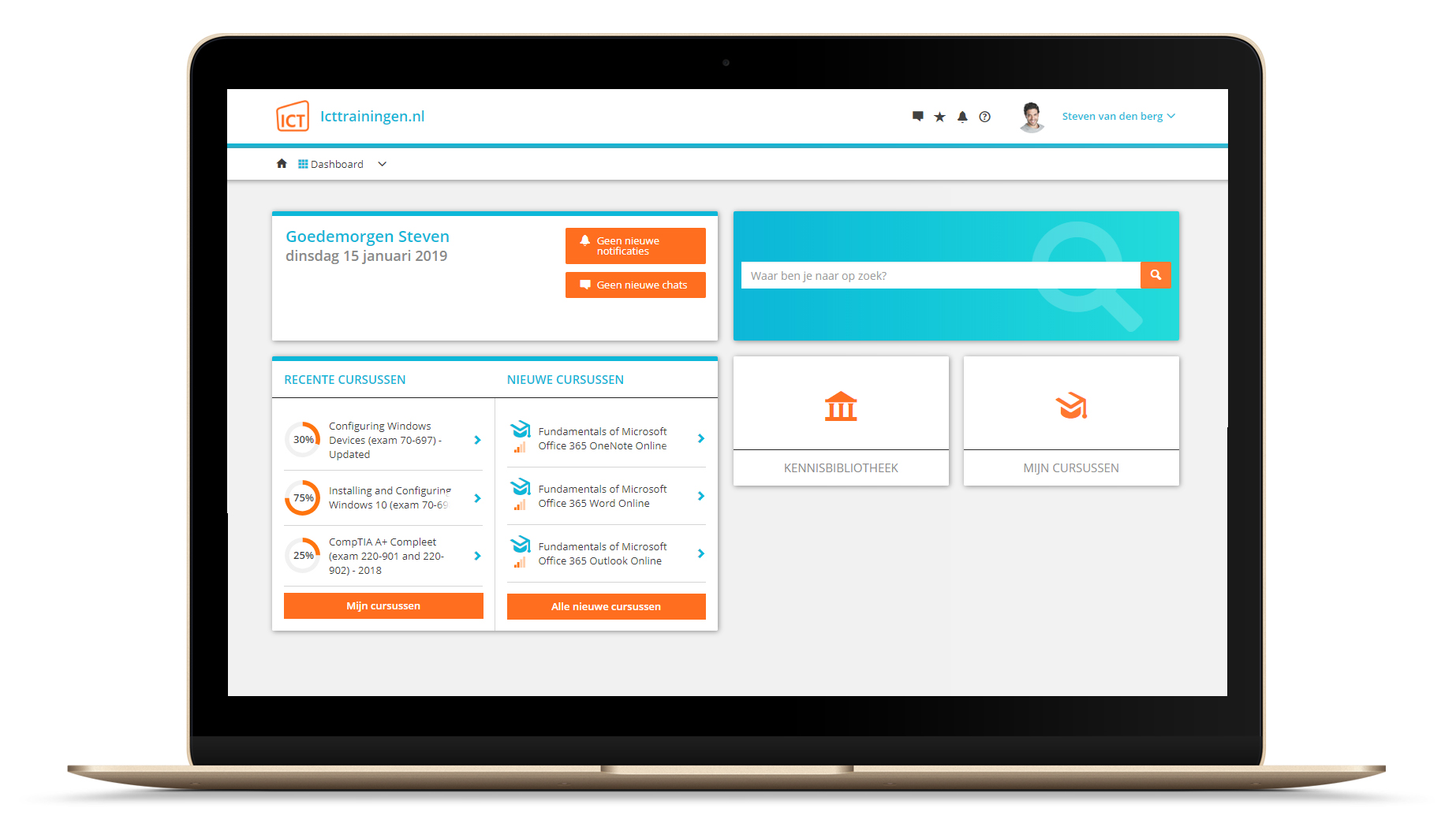
Na bestelling van je training krijg je toegang tot ons innovatieve leerplatform. Hier vind je al je gekochte (of gevolgde) trainingen, kan je eventueel cursisten aanmaken en krijg je toegang tot uitgebreide voortgangsinformatie.
FAQ
Niet gevonden wat je zocht? Bekijk alle vragen of neem contact op.